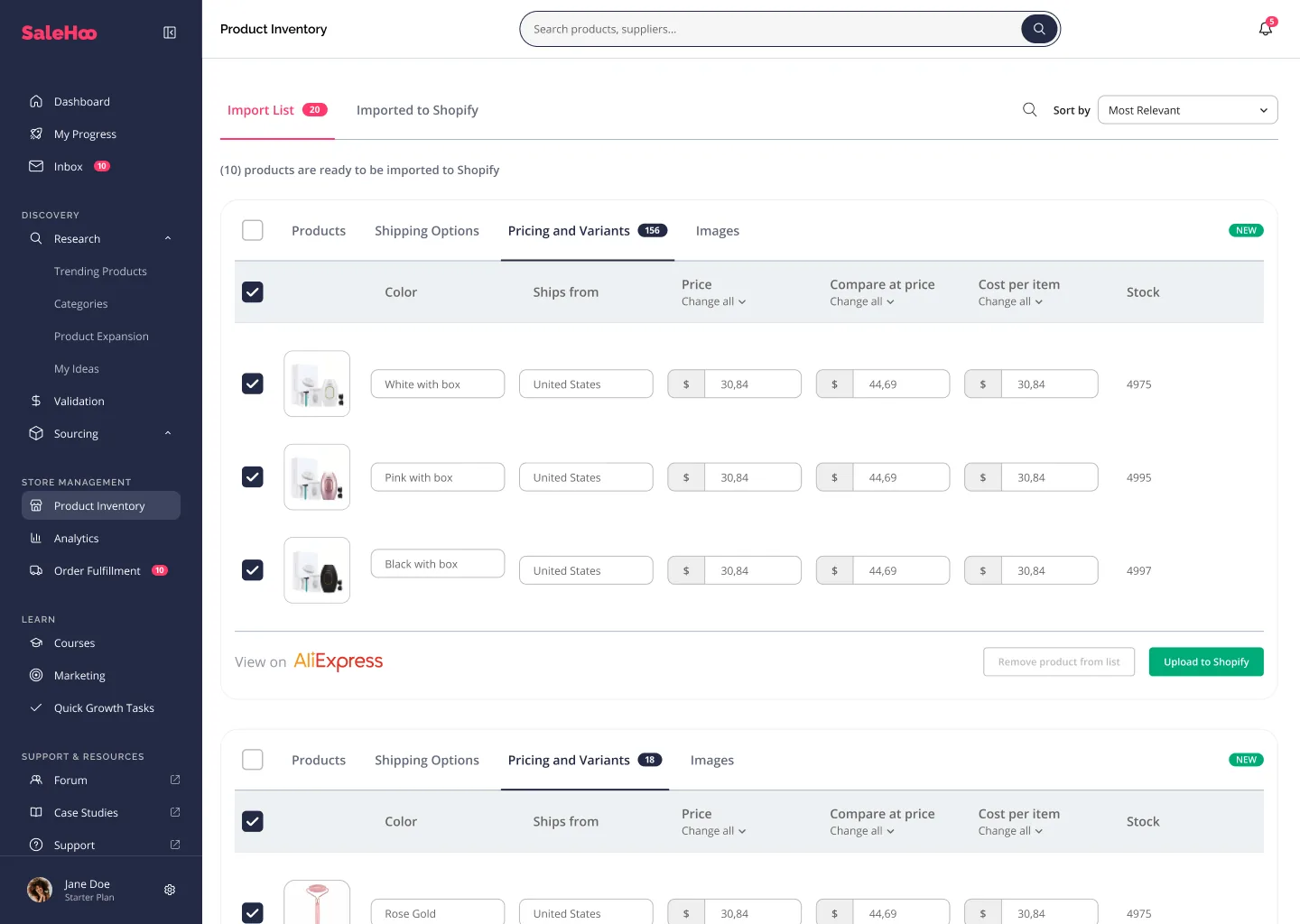
SaleHoo Dropship is marketed as a Shopify-oriented dropshipping workflow, rather than a universal marketplace connector. SaleHoo’s own integration guidance says direct Dropship integration is Shopify-only.
SaleHoo Dropship: Shopify native integration. Supplier Directory: suppliers may offer CSV, XML, plugins or manual processes for other sales channels.
The Shopify workflow
The public help center describes importing products into Shopify, syncing pricing and inventory, and managing fulfillment through SaleHoo. Review plan limits before planning your catalog size.
Before launching, import one test product, check variants, images and descriptions, and place a controlled test order. Confirm that status changes and costs appear correctly in each system.
What automation still leaves to you
You remain responsible for product suitability, misleading listing claims, customer service, refund handling, tax and store policies. Automated stock data can still be delayed or inaccurate.
Set a process for price changes, discontinued items, shipping exceptions and chargebacks. Keep a manual fallback for supplier outages.
Shopify versus other sales channels
The official support article explicitly distinguishes Dropship from Directory: Dropship directly integrates with Shopify, not Amazon, eBay, WooCommerce or Wix.
Directory suppliers can have integrations of their own, but availability and level of automation vary. Avoid buying a Shopify automation plan expecting a native WooCommerce extension.
When it is worth evaluating
Consider Dropship if you operate a Shopify store and want fewer manual product-import steps. For a non-Shopify shop or complex fulfillment arrangement, compare your current tools, supplier capabilities and fees first.
A realistic integration acceptance test
Connect a permitted Shopify test store, import one item with variants and record its original SKU, price, shipping attributes and stock state. Before allowing customers to order, compare the product page to the source record, check the right to use each image and confirm that shipping policies accurately describe the supplier service.
Test two exception paths, not only a successful import: an upstream price change and an out-of-stock event. Confirm the storefront reacts as you expect. Then carry out a controlled order if your supplier and platform conditions permit it, following the order to tracking and a returns inquiry. These are proposed test steps; Sourcing Atlas has not performed this test on a live paid account.
Why platform wording matters
SaleHoo describes native Dropship automation for Shopify. It also describes its broader supplier Directory as usable across other channels via suppliers and manual exports. Those are different propositions. A WooCommerce or marketplace merchant should verify the exact product feed, authentication method, update frequency and order-transmission workflow with the individual supplier.
Automation should reduce manual data work without hiding accountability. The merchant must still address listing accuracy, customer promises, compliance, support and refund obligations.
Questions buyers ask
Does SaleHoo Dropship work natively with WooCommerce?
The official integration help describes direct SaleHoo Dropship integration as Shopify-only; WooCommerce may be supported by individual Directory suppliers using other methods.
Will importing a product fix all catalog data automatically?
No. Merchants should check attributes, legal claims, variants, image rights, shipping and inventory rules before publishing.
Can automated inventory sync prevent every oversell?
Not necessarily. Feed delays and supplier discrepancies can still occur, so plan buffers and exceptions handling.
The most reliable way to evaluate a sourcing product is to match its limitations to your actual business workflow.
Review our supplier checklist →References & fact-check sources
SaleHoo product specifications are taken from vendor materials. General sourcing advice is our editorial interpretation, not an account-level performance test.
Compare the current SaleHoo offering
Check the latest product details directly with the vendor. This is an independent site.